
Sermon presentation app
Take the message you wrote into the room.
Prepare a sermon in movable sections, decide what the audience sees, and present with your own notes nearby. Your delivery starts from the same message you wrote.
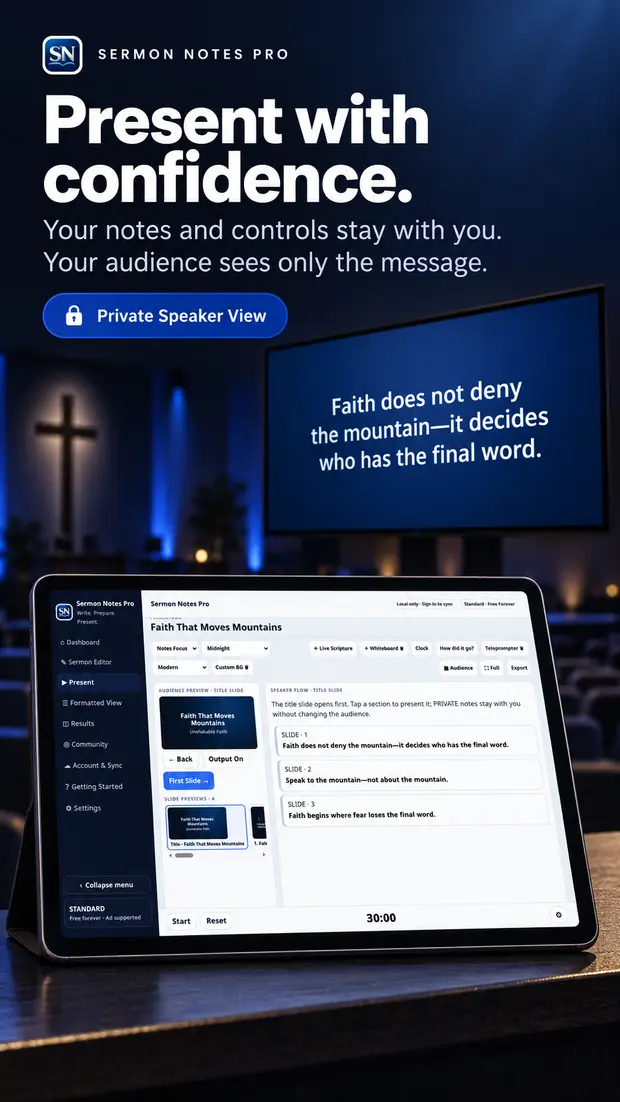
See your notes. Choose what the room sees.
Speaker Flow keeps your delivery notes available while Audience View shows the content you select. A private reminder can stay with you instead of appearing on the screen.
Open Presentation Mode from the sermon you prepared. Move through the message with on-screen controls or a compatible clicker, and use the timer to keep an eye on your pace.
From outline to presentation in one message
Put the ideas in order
Build sections for your opening, main points, Scripture, illustration, and close. Move a thought when the flow changes.
Set audience content
Keep detailed prompts in your speaker notes and choose the content you want to show on the audience display.
Open Presentation Mode
Follow your message with Speaker Flow, audience preview, and a simple timer. Test the room setup before speaking.
Example: You move the Scripture section ahead of the illustration during rehearsal. The presentation follows the message’s new order, so your speaking flow and the audience content remain together.
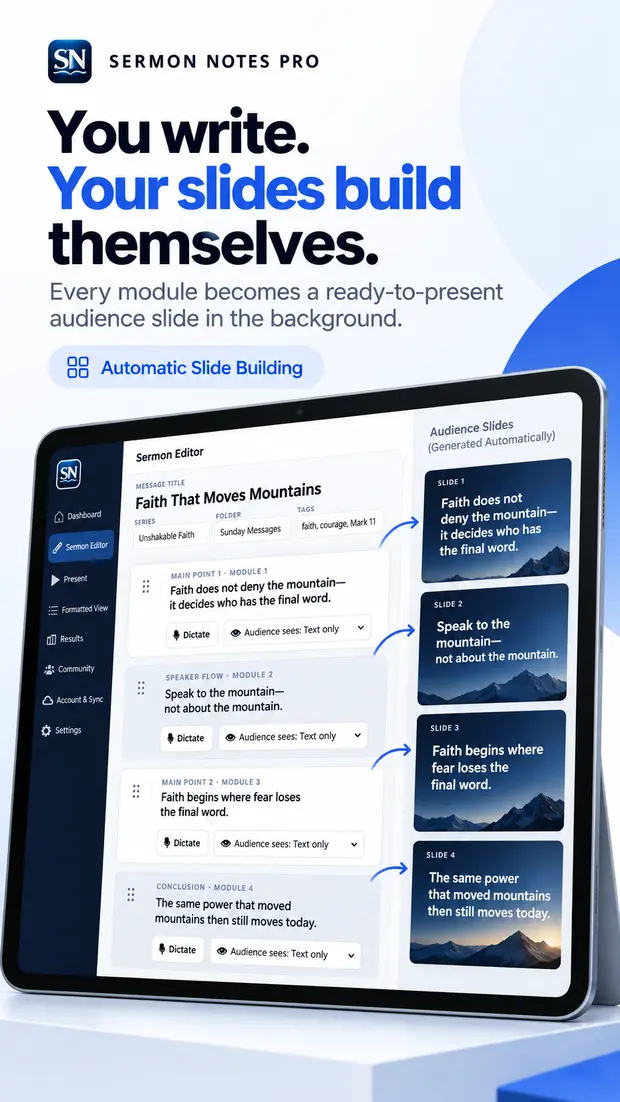
Prepare the screen while you write.
Audience-ready sections can become slides from the message itself. Add an image or QR code when the room needs something to see or scan. Keep the detailed explanation in your private notes.
For production setups, follow the display connection guide and test your specific device, network, and screen before a live service.
Presentation questions
Do I have to rebuild my sermon in slide software?
You can prepare audience content from your Sermon Notes Pro message and present it from the same workflow. Your room’s production setup may still use its own display software or exported slides.
Can the audience see my private notes?
Audience View is separate from Speaker Flow. Review the output before the service and choose what each section shows to the room.
Where do I start writing?
Start with the sermon writing workflow, or go straight to the web app. Android is available on Google Play; iPhone is coming soon.
Write it once. Carry it into delivery.
Start with a real message and test the speaker and audience views before your next presentation.